Streamline Your Shopify Store: The Safe Way to Google Sheets to Shopify Sync
Managing product catalogs, inventory, and pricing across multiple channels can be a significant challenge for Shopify merchants. Manually updating your Shopify store from a Google Sheet is not only time-consuming but also prone to errors that can impact sales and customer satisfaction. This is where a robust Google Sheets to Shopify sync solution becomes indispensable, offering automation, accuracy, and crucial safety features to keep your operations smooth and your data pristine.
Why spreadsheet catalogs fail without preview
Many merchants rely on spreadsheets for their product data, and for good reason—they're flexible and accessible. However, directly importing a Google Sheet into Shopify without a preview mechanism is like driving blind. You risk overwriting critical product descriptions, accidentally deleting entire collections, or creating duplicate entries. Without a clear understanding of what changes will occur, you expose your store to potential data corruption, leading to lost sales, SEO penalties, and a damaged brand reputation. A safe sync process must offer a clear, actionable preview before any changes are committed to your live store.
Connect Google, map columns, choose the match key
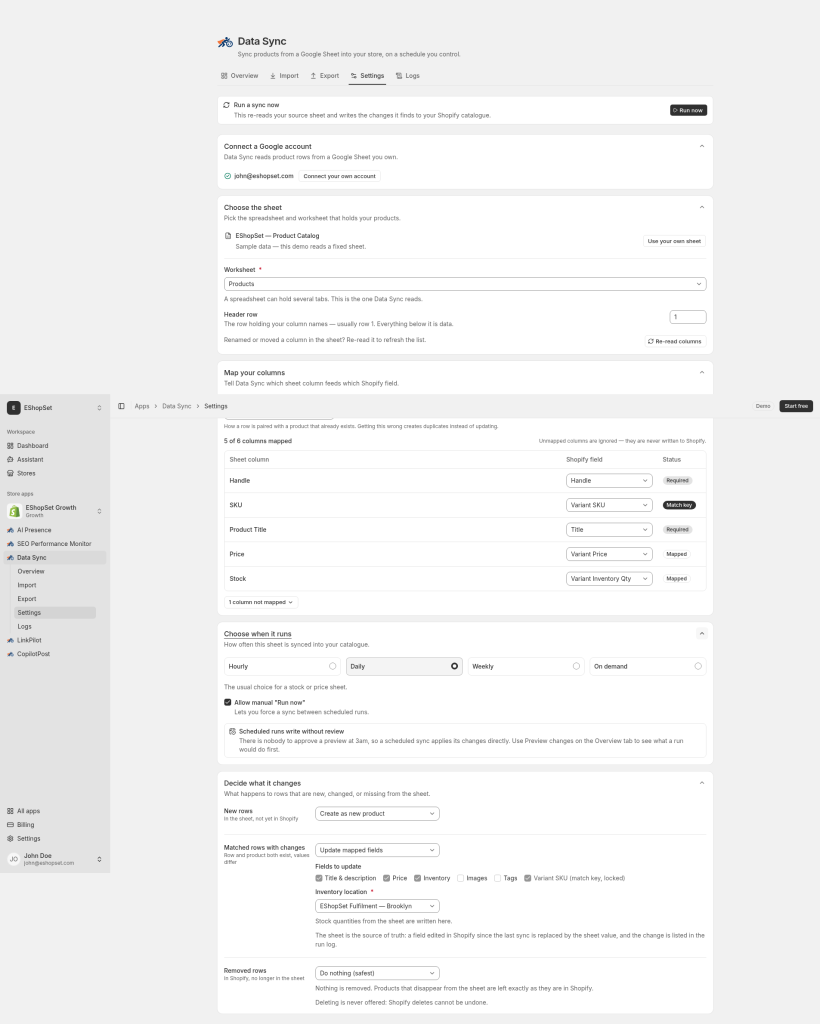
The first step to a reliable sync is setting up your connection and defining how your spreadsheet data corresponds to your Shopify store. With EShopSet's Data Sync, you securely connect your Google Sheet, then intuitively map your spreadsheet columns (e.g., 'Product Name', 'Price', 'SKU') to their corresponding Shopify fields. Crucially, you select a unique match key—such as SKU, product handle, or barcode—that Data Sync uses to identify existing products for updates or determine if a new product needs to be created. This intelligent matching prevents duplicates and ensures accurate updates.
Preview a Google Sheets to Shopify sync before it writes
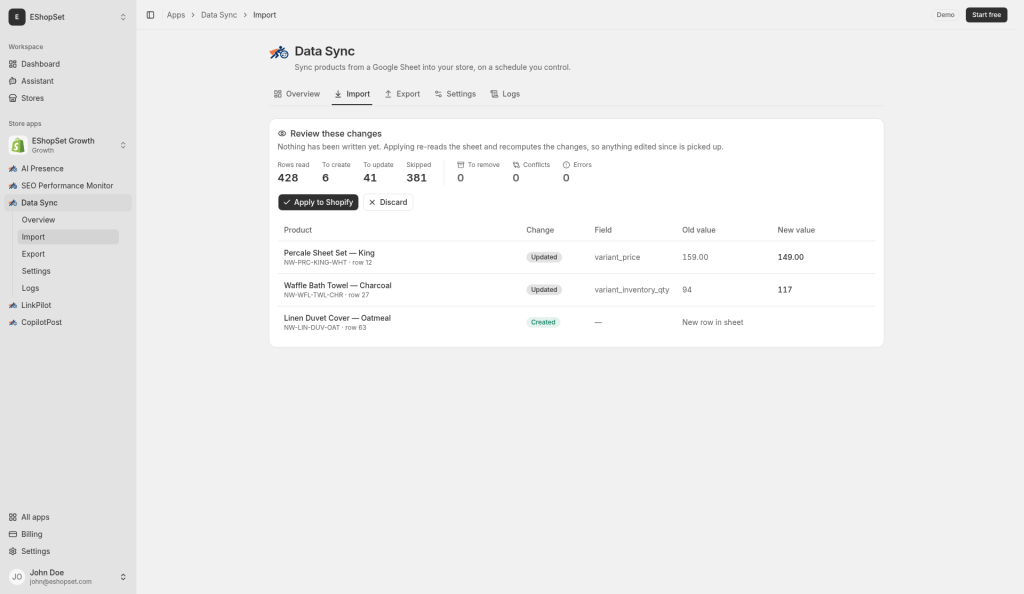
This is the cornerstone of safe data management. Before Data Sync applies any changes to your Shopify store, it provides a detailed preview of every action. You'll see precise counts for:
- Creations: New products or variants identified in your sheet.
- Updates: Existing products or variants with changed data.
- Skips: Rows in your sheet that don't require changes or are excluded by your rules.
- Removals: Products or variants in Shopify that are no longer present in your sheet (based on your missing-row policy).
- Conflicts: Any potential issues that require your attention.
This transparent overview empowers you to review, confirm, and confidently apply the changes, or discard them if something looks amiss. It's your last line of defense against costly errors.
Schedules and inventory safety thresholds
Once your sync is configured and you're comfortable with the preview process, you can automate it. Data Sync offers flexible scheduling options, allowing you to run syncs manually, hourly, daily, or weekly, depending on your plan and operational needs. Beyond scheduling, Data Sync incorporates critical safety thresholds and policies:
- Missing-row policies: Define what happens to Shopify products that are no longer in your Google Sheet. Options include leaving them untouched, archiving them, or setting their stock to zero. This prevents accidental deletions while maintaining data integrity.
- Inventory safety: Set minimum stock levels or other rules to prevent unintended inventory depletion.
These features ensure that your automated syncs run reliably and safely, protecting your inventory and product listings.
Reading change history in Logs
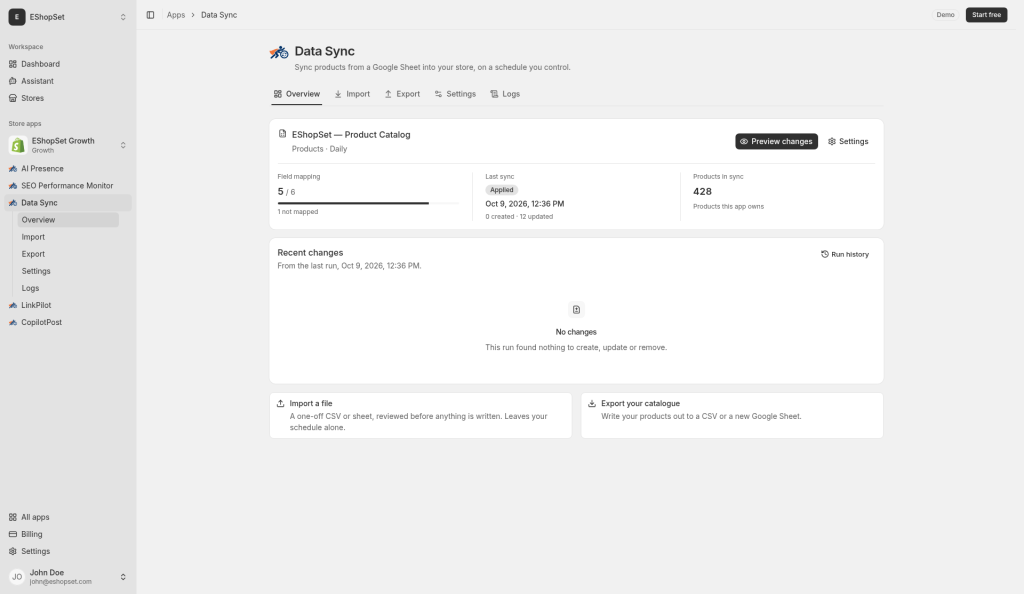
Even with robust preview and safety features, having an audit trail is essential. Data Sync provides comprehensive Logs that record every sync operation, detailing when it ran, what changes were applied, and by whom. This history is invaluable for troubleshooting, compliance, and understanding the evolution of your product data over time. You can quickly review past sync results and ensure everything is running as expected, giving you complete peace of mind.
For Shopify merchants and store operators, automating your daily operations is key to scaling efficiently. EShopSet's Data Sync app provides a powerful yet safe solution for managing your product catalog directly from Google Sheets. With features like comprehensive previews, flexible scheduling, intelligent matching, and robust missing-row policies, you maintain full control and confidence in your data. Explore how EShopSet's suite of apps, including Data Sync, can transform your operations. For more detailed guidance, refer to our Google Sheets to Shopify sync help resources.