Streamline Your Shopify Product Management with Data Sync's Catalog Export and Import
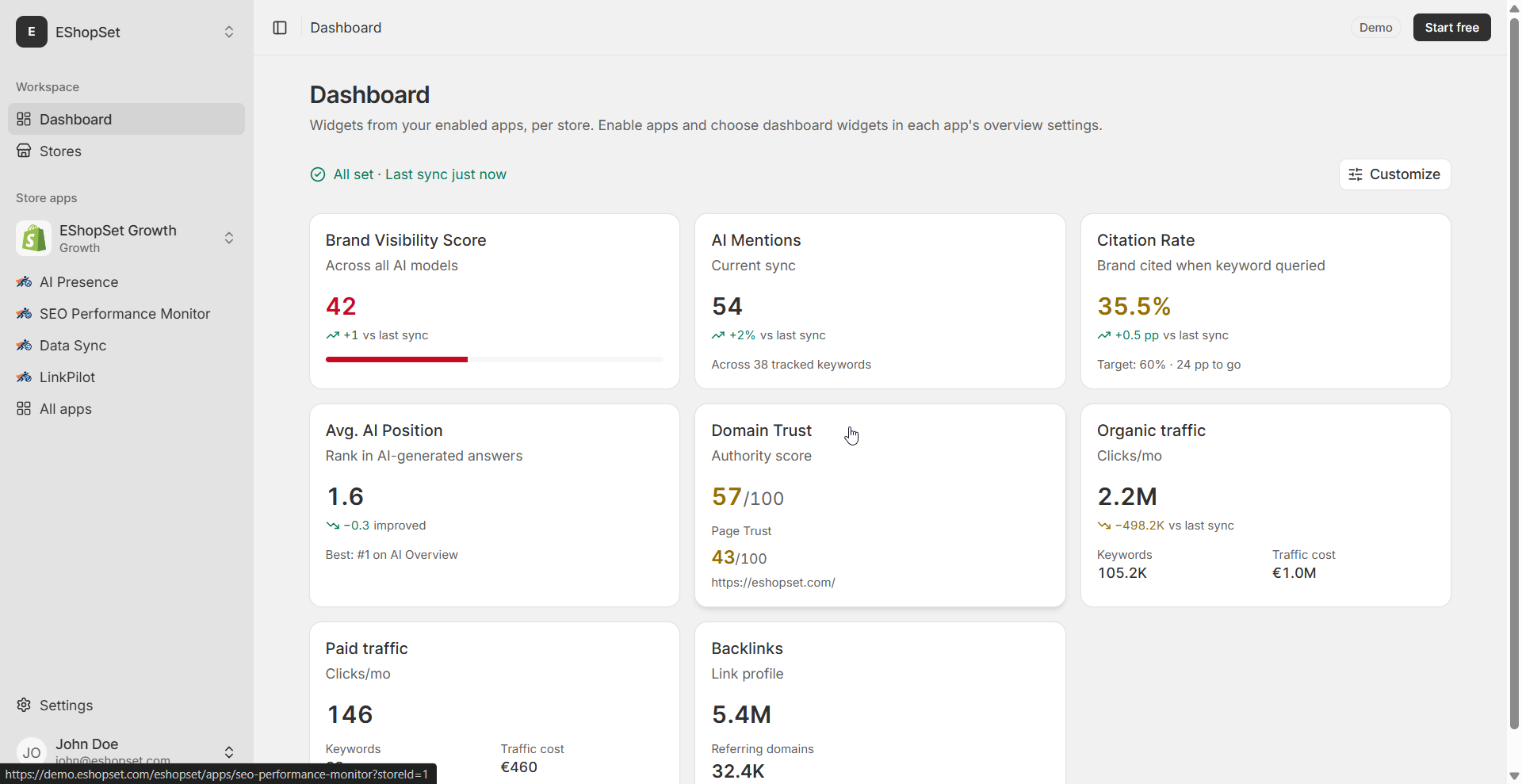
Efficiently managing your Shopify product catalog is crucial for any merchant. Whether you're performing bulk updates, auditing product data, or preparing for seasonal changes, the ability to quickly and accurately modify your product information offline and then seamlessly re-import it can save countless hours. EShopSet's Data Sync app provides a robust solution for this, offering a powerful Shopify catalog export CSV Data Sync workflow that empowers you to take full control of your product data.
When you need a Shopify catalog export CSV Data Sync workflow
There are many scenarios where a round-trip workflow—exporting your catalog, editing it offline, and then importing it back—becomes indispensable:
- Bulk Price Updates: Quickly adjust prices for a large number of products for sales events or market changes.
- SEO Optimization: Update meta descriptions, product titles, and image alt text across your entire catalog to boost your search engine performance.
- Inventory Audits: Export your full catalog to cross-reference with physical inventory or other systems.
- Enriching Product Descriptions: Collaborate with copywriters offline to enhance product descriptions without direct access to your Shopify admin.
- Seasonal Product Adjustments: Modify product tags, collections, or availability for different seasons or promotions.
Data Sync ensures that these operations are not only efficient but also safe, as the export process creates a snapshot of your data without altering your live Shopify products.
Choosing CSV vs a new Google Sheet
Data Sync offers flexibility in how you export your catalog, allowing you to choose the format that best suits your workflow:
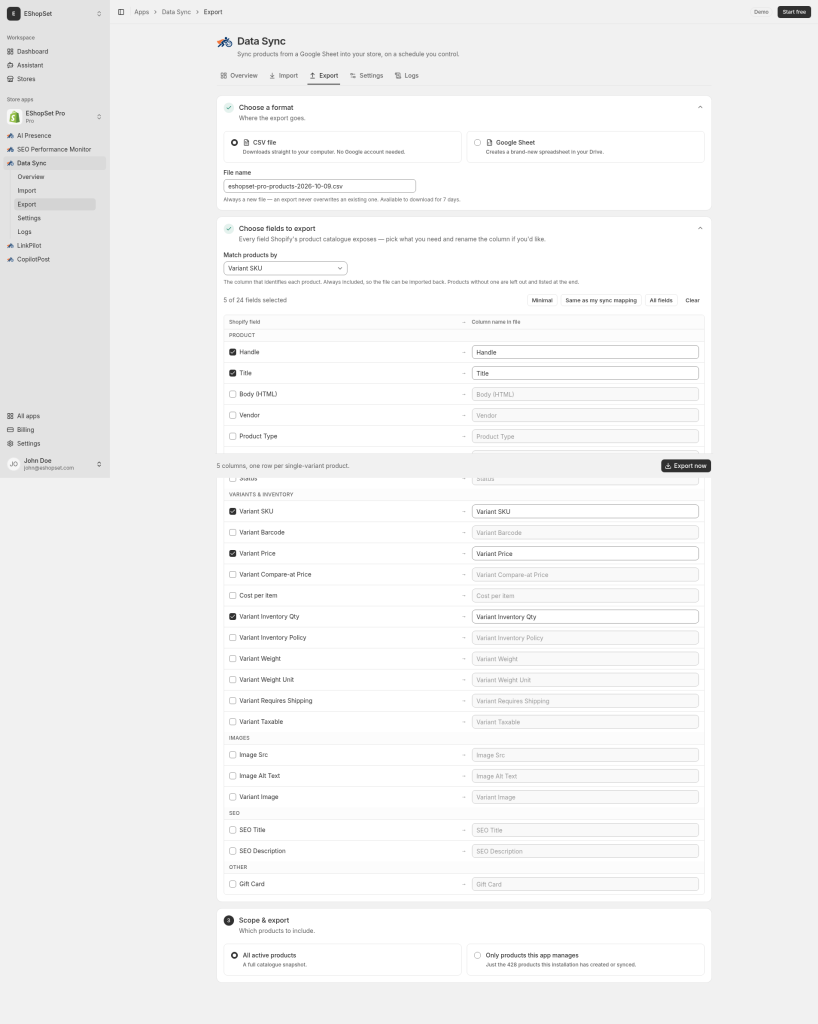
- CSV Download: Ideal for quick, one-time edits or when you prefer to work with spreadsheet software like Microsoft Excel or LibreOffice Calc. You get a direct file download ready for offline manipulation.
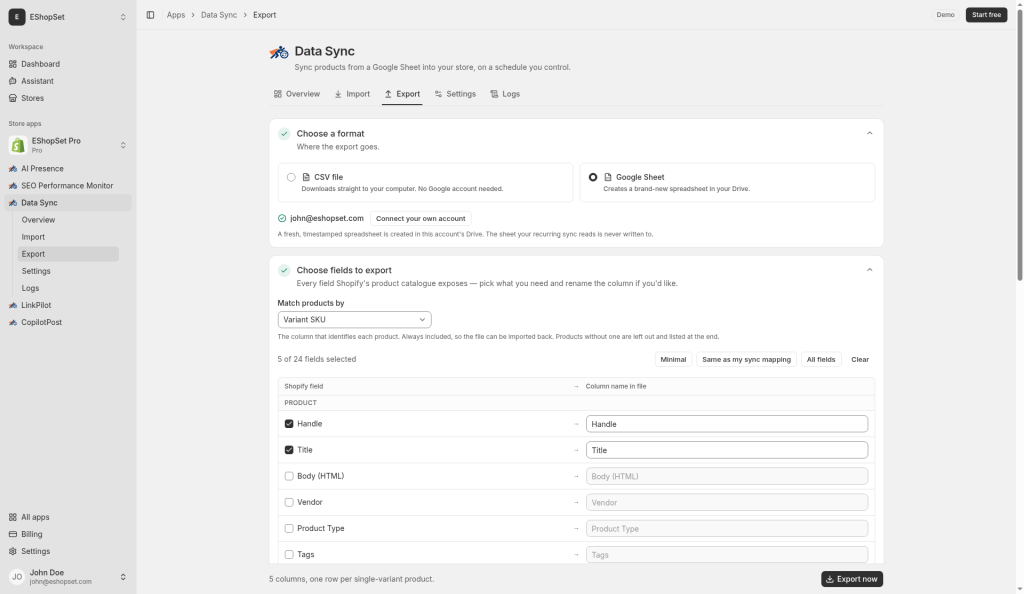
- New Google Sheet: Perfect for collaborative efforts or when you want to leverage Google Sheets' cloud-based features. Data Sync can create a brand new Google Sheet, populating it directly with your selected product data. This ensures everyone is working on the latest version in real-time.
Fields, headings, and export scope
With Data Sync, you have granular control over what data gets exported:
- Select Specific Fields: Don't need every column? You can choose exactly which product fields (e.g., SKU, price, title, description, vendor, tags) you want to include in your export. This keeps your working file clean and focused.
- Custom Headings: Map Shopify's default field names to custom headings that make more sense for your internal processes, simplifying data interpretation.
- Define Export Scope: You can choose to export all active products from your Shopify store, or only those products that are currently managed by this Data Sync installation. This flexibility ensures you're only working with the data relevant to your task. Remember, the export process generates a snapshot and does not make any changes to your live Shopify product data.
Edit offline, then import with preview
Once your catalog is exported, you can make all necessary edits offline using your preferred spreadsheet application. When you're ready to bring those changes back to Shopify, Data Sync makes the import process straightforward and secure:
- One-Time Import: Unlike recurring syncs, the one-time import feature allows you to upload your modified file.
- Separate Mapping and Policies: This import uses its own mapping and policies, distinct from any recurring sync configurations you might have. This means you can define exactly how the incoming data should be matched and applied, ensuring accuracy without affecting your ongoing automated processes.
- Preview Changes: Before committing any changes to your live Shopify store, Data Sync provides a detailed preview. This crucial step allows you to review exactly what will be updated, added, or deleted, giving you complete confidence in the operation.
Inspecting before/after changes in Logs
Transparency and accountability are key when managing critical store data. Data Sync's comprehensive Logs feature provides a detailed history of every operation, including your catalog imports:
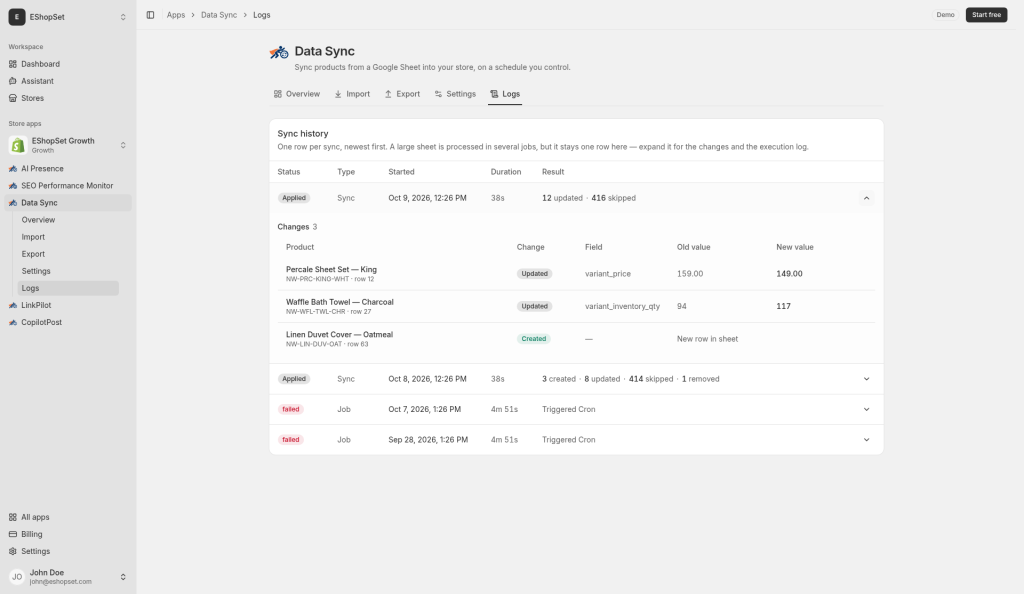
- Detailed Run History: Each import run is logged, showing its status, timestamp, and the user who initiated it.
- Before and After Values: For every product or field that was updated, you can inspect the exact 'before' and 'after' values. This allows for easy auditing and troubleshooting, ensuring that your changes were applied as intended.
Empower your Shopify store operations with EShopSet's Data Sync. By providing a secure and flexible workflow for Shopify catalog export CSV Data Sync, you can manage your product data with unprecedented efficiency and accuracy. Explore Data Sync today and streamline your daily tasks. For more detailed guidance, check out our Data Sync help resources or learn more about EShopSet pricing plans.